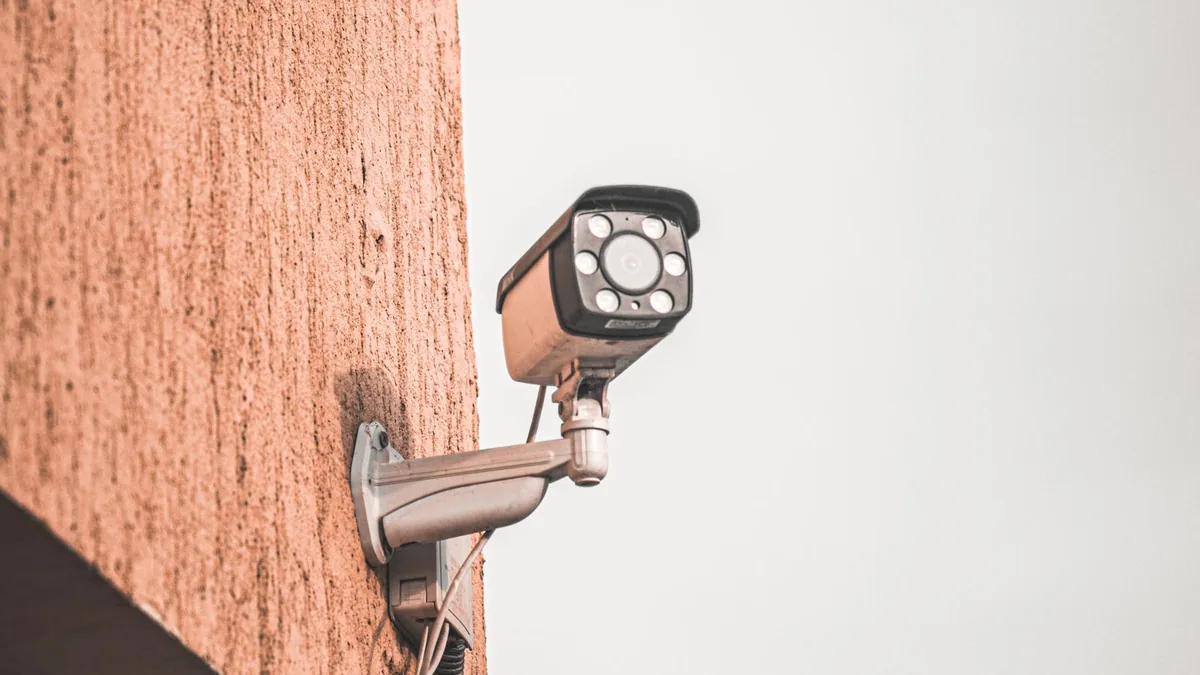
Choosing cameras is easier when you start with the question a recording needs to answer. A parcel-delivery view, a driveway overview and a private interior monitor serve different purposes. Tell an Indianapolis installer what you want to observe before discussing device count, resolution or a subscription package.
Local discussion about camera networks raises privacy questions, but a public surveillance program is not the same service as a household camera installation. The practical issue here is your own equipment: who controls it, what it records and whether you can retrieve useful footage. No camera proposal can guarantee prevention of a crime.
Define the view you actually need
Describe the location, the activity of interest and the conditions in which you expect a usable image. An overview is different from a detailed close view. Ask the installer to explain what each proposed position can and cannot show. More cameras do not automatically resolve blind spots or establish that a particular detail will be identifiable.
Discuss mounting and property permission
Identify the surfaces, access limitations and any landlord or association permission needed before installation. Ask how equipment will be mounted and how penetrations or wiring routes will be finished. Do not assume a renter can authorize permanent changes. Keep property approval separate from selecting a product or paying for an installer’s preliminary visit.
Review privacy before choosing camera positions
Consider private household spaces, visitors and neighboring areas when discussing coverage. Ask about masking or limiting views where available. Obtain appropriate advice about applicable recording requirements rather than assuming a general online statement settles every situation. A useful design considers who may be recorded and why, not only how much of the property can be captured.
Confirm account ownership from the start
Use an account controlled by the homeowner or authorized organization, with a recovery method you can maintain. Ask how the installer receives temporary access and how that access is removed afterward. Avoid a system that leaves routine administration dependent on someone else’s personal account. Document ownership before the installation is treated as complete.
Ask about supported security controls
Discuss unique credentials, available multifactor authentication, access permissions and software updates. The Federal Trade Commission provides guidance on securing home cameras. Ask the installer to demonstrate relevant controls for the actual product rather than promising that any internet-connected device is inherently secure. Keep account credentials private and avoid sharing administrator access unnecessarily.
Separate live viewing from saved recordings
Ask what is stored, where it is kept and what happens when storage reaches its limit. Viewing a live image does not prove that past footage will be available. Request a demonstration of retrieval and export. Establish whether particular recording features depend on a paid plan or differ from what the salesperson showed during a demonstration.
Compare subscription and ownership costs
Request the equipment price, installation price and continuing charges separately. Ask what changes if a trial ends, a subscription is cancelled or the provider changes its terms. Compare the features you need rather than assuming the cheapest monthly label covers equivalent storage and access. Keep renewal and cancellation information with the installation records.
Check connectivity at proposed locations
Ask the installer to assess the connection arrangement for each position instead of assuming coverage from a nearby phone reading. Identify any network or power work included and any specialist required. A camera can be correctly mounted yet difficult to use if the connection is unreliable. Obtain a plan for addressing weak locations before finalizing device placement.
Discuss outages and dependencies
Ask what continues to work if internet access, power or a remote service is unavailable. The answer should distinguish recording, notifications and viewing rather than using a broad works offline claim. If backup arrangements are proposed, request their scope and limits. Do not assume an alert will always reach your phone under every interruption scenario.
Test the agreed use cases at handover
Arrange a demonstration of the views that matter, including relevant low-light conditions when practical. Ask how to find a specific event and save a copy. Confirm notification settings without generating excessive alerts. A successful handover gives the owner practical control, rather than simply showing that devices have been added to an application.
Establish maintenance and support responsibilities
Identify who handles updates, failed devices, connection changes and subscription questions. Ask what support is included after installation and when an additional visit is chargeable. Keep the exact models and account-recovery process documented. Future changes to the household router or phone should not leave ownership or support responsibilities unclear.
Choose a scope rather than a camera count
Compare the proposed views, mounting work, account handover, recording features and support. Tell the installer which privacy decisions remain unresolved. Directory electrical and security contacts are a starting point, not evidence that every electrician installs your chosen camera system. Confirm the relevant product and network capability directly before booking.
Frequently asked questions
1. Will cameras guarantee protection from crime?
No camera system can guarantee that outcome. Define the observations and records you want, then discuss limitations. Evaluate installation and account security without treating marketing statements as a promise about a future incident.
2. Does live video mean recordings are stored?
Not necessarily. Ask which recording functions are enabled and where the footage is retained. Demonstrate retrieval of a prior event before handover so the arrangement is understood rather than assumed.
3. Who should own the camera account?
The authorized household or organization should retain appropriate administrative control and recovery access. Agree on temporary installer permissions and their removal. Avoid relying on an account that belongs to an employee or unrelated third party.
5. Can I record the neighboring property?
Consider privacy and seek appropriate advice about applicable requirements and your specific view. Ask about limiting coverage or masking where supported. This article does not determine whether a particular installation or recording practice is lawful.
6. What happens if the internet stops working?
Behavior depends on the equipment and configuration. Ask separately about local recording, notifications and remote viewing. Request a product-specific explanation rather than assuming that an offline claim means all normal functions continue.
7. Are subscription cameras always better?
A subscription is a commercial arrangement, not a quality rating. Compare needed features, storage, access and cancellation effects. Confirm what remains available without the paid plan before deciding which arrangement suits the household.
8. Can an installer promise a clear face at any distance?
Ask for realistic coverage limits and a demonstration of the agreed viewing scenario. Position, lighting and equipment influence results. Avoid accepting an unconditional recognition promise from a device specification alone.
9. What should be tested before payment is complete?
Use the agreed contract terms to check views, recording retrieval, export, access ownership and user instruction. Record unresolved items and a follow-up plan. A list of connected devices is not a full usability demonstration.
10. What records help with future support?
Keep model details, installation scope, warranties, subscription terms and the authorized support contact. Store recovery information securely. These records help distinguish equipment issues from account, network or service changes later.
Sources and related reading
- FTC: securing home security cameras
- Local public-camera privacy discussion; distinct from household installation
- Browse related businesses. Confirm capabilities and service availability directly.